
Using EOS Utility with your Air Graffiti Software
Hi Guys!
A great way to use the Air Graffiti software is to add a DSLR camera to the mix. You can use the DSLR camera with the "Live View" feature or the EOS utility. Check out this guide to learn how to use the EOS utility with the "Air Graffiti".
1. Download and install the relevant version of the "EOS Utility" software according to your camera's model. If you're not sure which version you need to download, check Canon's website.
2. Open the AIR Graffiti software and select or create the desired event.

3. To load photos taken with your DSLR camera with the Air Graffiti software, they need to be redirected to the "Raw" folder inside your selected event folder located in C:\AGWall\Events\{Name of your Event}\raw.
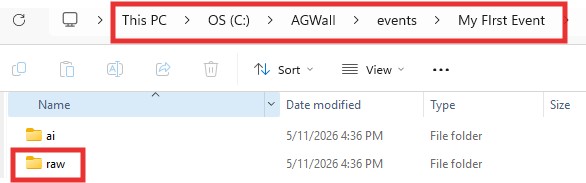
4. Open the EOS utility software.
ℹ️ Info: Note that if you're using Live View, you'll need to close the EOS Utility software.
5. Click "Remote Shooting".
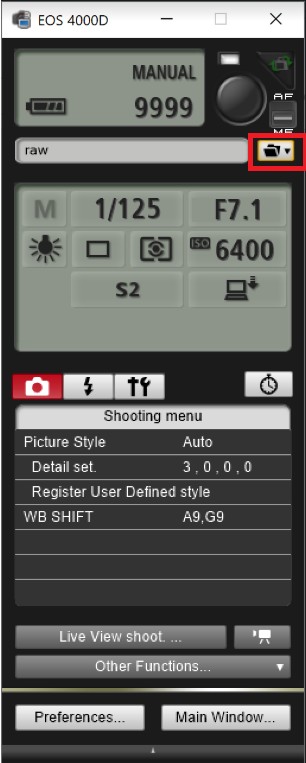
7. Browse to the "Raw" folder location and click OK.
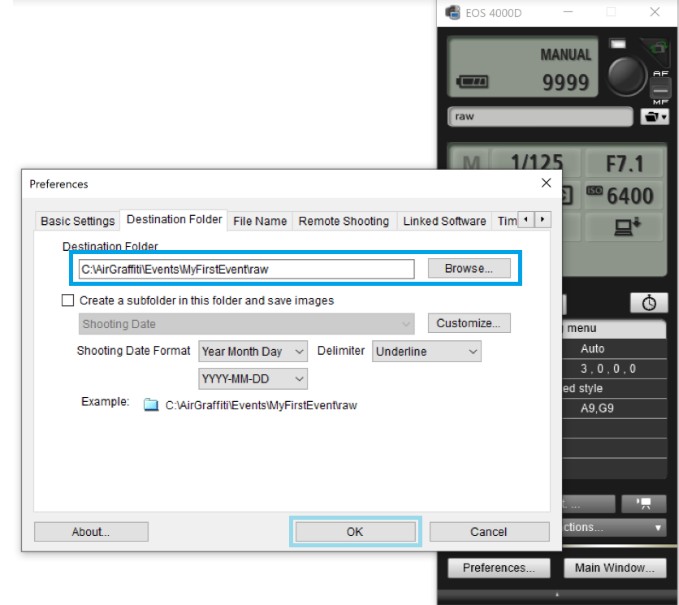
8. Leave the EOS utility software open while taking photos. Those will be saved in your selected event folder.
9. To manually load photos into the software:
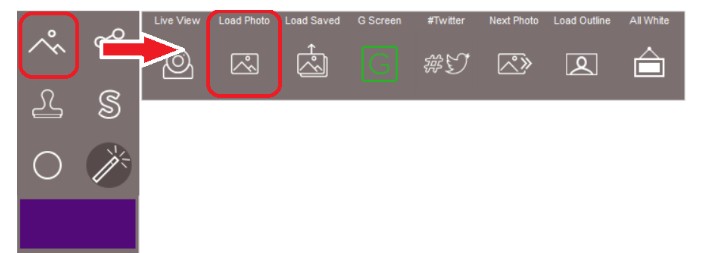
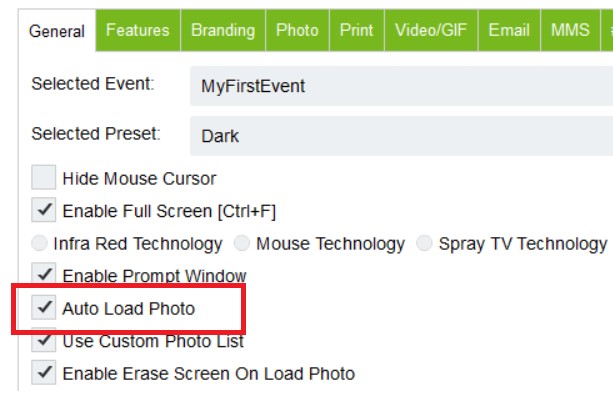
The photos can also be loaded automatically by enabling the "Auto Load Photo" in the settings menu:
Was this helpful?
Related articles
AGWall Overview
AGWall is Foto Master's software for the Air Graffiti Wall -- an interactive digital graffiti experience where guests use physical spray can controllers to create virtual artwork o
Creating Games for the Air Graffiti Software
Hi owners, Do you like the games on AirGraffiti? Ever wanted to customize one of them to your liking? This article is for you! So let’s begin by understanding how the games are bui
Adjusting the Printout and Using the Padding Solution
This article provides a brief explanation of your Air Graffiti display and printout resolution adjustments. When using the AGwall Software, we are dealing with three different reso
Getting Started with AGWall
This guide walks you through setting up AGWall software and running your first Air Graffiti Wall event. System Requirements Windows PC (Windows 10 or later) A dedicated GPU is reco