
Generate an Overlay Using Foto Master Creative Studio AI
Foto Master Creative Studio lets you generate custom overlays for your Photo Booth layouts using AI — no design experience needed.
Generating Your Overlay
- Click Add Image.
- In the Properties tab, find the AI Prompt box and describe the overlay you want — including the size, theme, colors, and any specific design details.
- Click Generate Image.
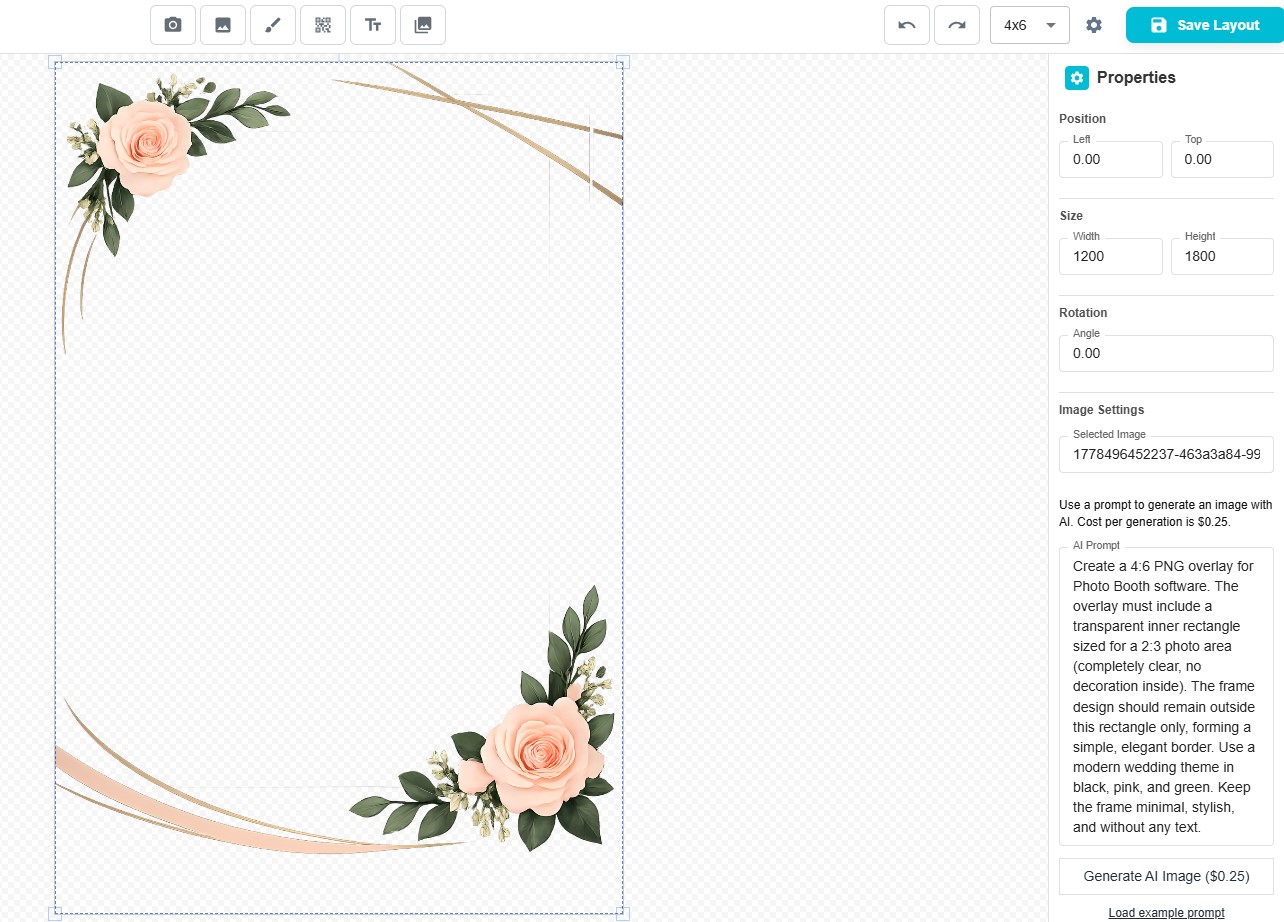
The overlay usually takes about a minute to create, depending on the complexity of your request and your internet speed. Once it's ready, it will appear and can be added directly to your layout.
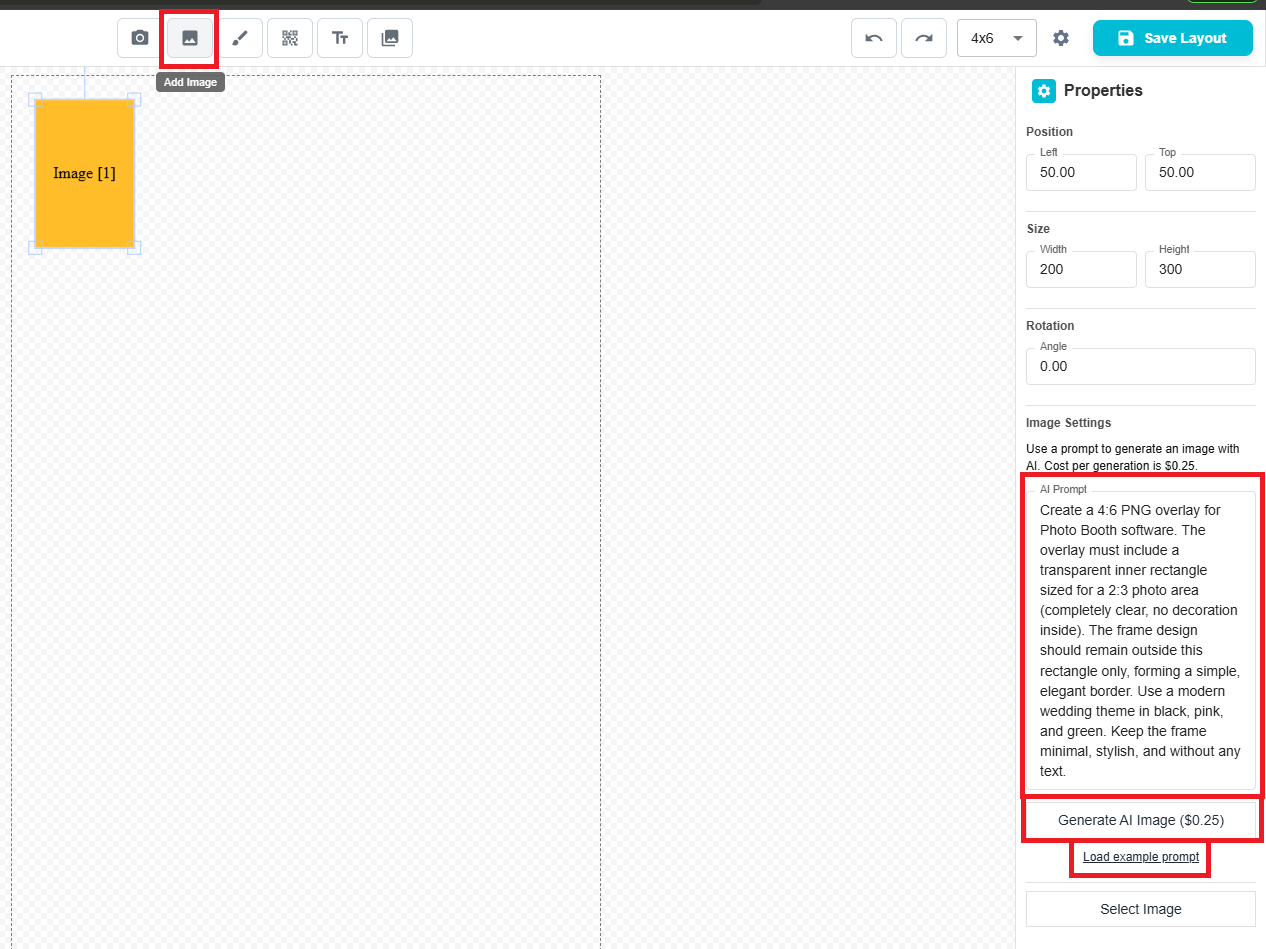
💡 Tip: Not sure how to write your prompt? Click Load Example Prompt for a pre-filled description that shows you exactly how to structure your request. You can edit it to match your own style and requirements.
Was this helpful?
Related articles
AI Features Overview
Foto Master Cloud brings the power of artificial intelligence directly into your photo booth workflow. With 14+ AI-powered features available at cloud.fotomaster.com, you can offer
AI Playground
AI Playground is a space inside Foto Master Cloud where you can test and explore AI features without setting up a workflow or connecting a booth. Upload a photo, pick a feature, co
AI Modify
AI Modify is a generative AI feature that transforms photos taken at the booth. It works on the original photo — the people, faces, poses, and group layout stay intact — and AI app
AI Combine
Can't see the video? Watch on YouTube AI Combine generates new AI images using a reference image and a text prompt — producing results that maintain consistent visual style, brandi
AI Background Removal
AI Background Removal automatically strips the background from any photo, isolating the subject cleanly without needing a physical green screen. This means you can place guests aga